

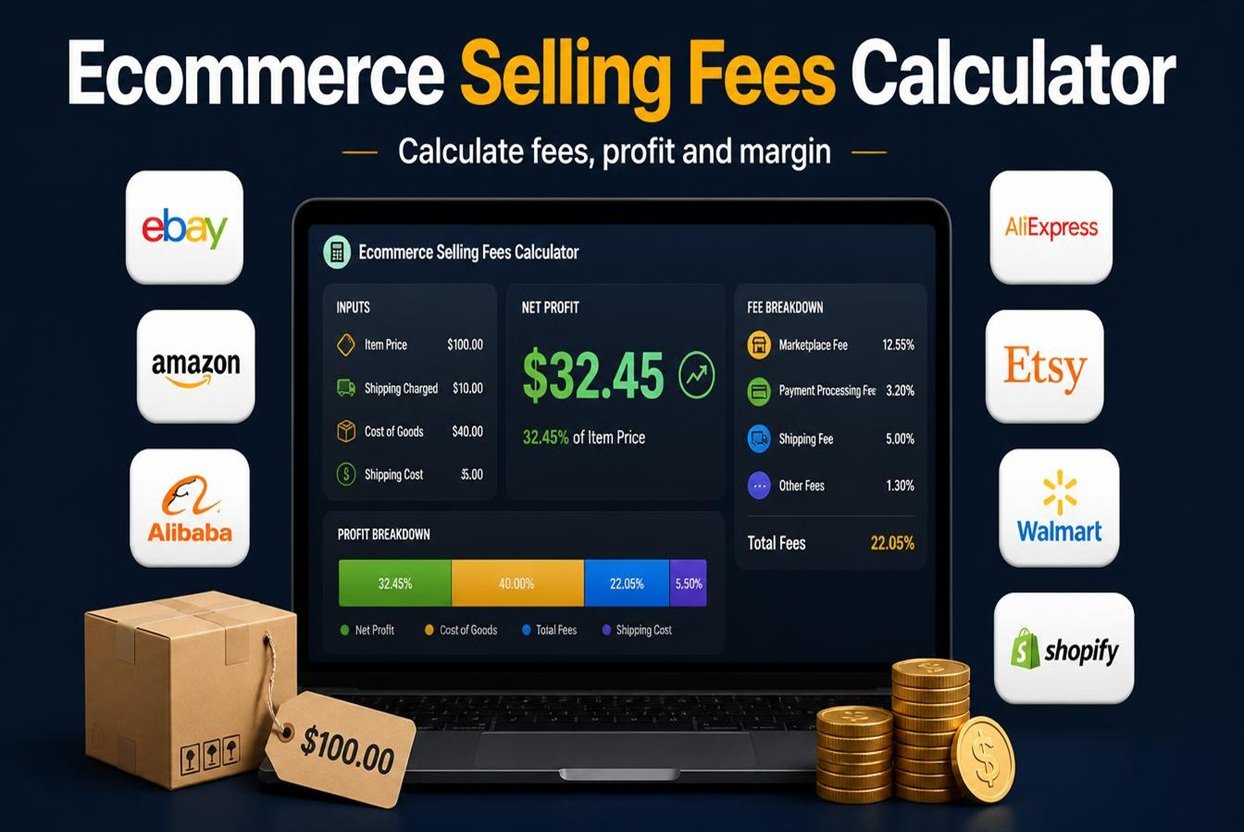
Ecommerce Selling Fees Calculator
Work out fees, net profit, margin and the price you need on eBay, Amazon, Etsy, AliExpress, Alibaba and more.
Your sale
Results
Platform comparison
Same item and costs, each platform’s default fees. Ads % from your inputs is applied to all.
| Platform | Total fees | Net profit | Margin |
|---|
Tips to keep more of each sale
Fee rates are typical standard rates and vary by category, seller plan, country and date. They are estimates only. Check each platform’s current fee page and edit the fee settings to match your account.
Ecommerce Selling Fees Calculator
You list a product, it sells, and the money that lands in your account is far lower than you expected. Commission, payment processing, fixed order fees, shipping and ad spend all take a share, and on a thin-margin product they can turn a “sale” into a loss.
The Ecommerce Selling Fees Calculator shows you exactly where your money goes before you set a price. Enter your price and costs, pick a platform, and see your fees, net profit, margin and break-even price right away.
What Is an Ecommerce Selling Fees Calculator?
It’s an online tool that estimates the total cost of selling an item on a marketplace or store. Instead of working through percentages and fixed fees on a calculator, you type in your numbers and get a full profit breakdown instantly.
It works for new sellers testing their first product and for experienced sellers comparing channels across a large catalogue.
Why Every Online Seller Needs Ecommerce Selling Fees Calculator
Marketplace fees rarely come as one number. A single sale can include:
- A commission or final value fee, charged as a percentage of the sale
- Payment processing fees, usually a percentage plus a small fixed amount
- A fixed per-order fee
- Advertising or promotion costs
- Shipping and packaging costs
Add these to your product cost and the real profit is often much smaller than it looks. Sellers who skip this step tend to underprice products, run ads that lose money, or stay on a platform that costs them more than another would. A fees calculator removes the guesswork.
Platforms You Can Calculate For
The calculator comes with typical default rates for the most popular selling platforms:
- eBay: auction and fixed-price listings with a final value fee on the item and shipping
- Amazon: referral fees by category, plus fulfilment costs if you use FBA
- Etsy: listing, transaction and payment processing fees for handmade and vintage goods
- Walmart Marketplace: category-based referral fees
- Shopify: no marketplace commission, but payment processing charges apply
- AliExpress: commission-based selling for international buyers
- Alibaba.com: wholesale and B2B selling with transaction fees
- Daraz: a leading marketplace in South Asia with commission and payment fees
- Poshmark and Depop: fashion and secondhand resale platforms
There is also a Custom platform option, so you can enter your own commission, payment and fixed fees for any other marketplace or your own store.
How to Use Ecommerce Selling Fees Calculator
- Choose your platform. Default fee rates fill in automatically.
- Select your currency, such as USD, EUR, GBP, PKR, INR, AED, CAD or AUD.
- Enter your selling price and quantity.
- Add your item cost, shipping charged to the buyer, your shipping cost and packaging costs.
- Adjust the fee settings if your category or seller plan has different rates.
- Add your ad spend and target margin if you want pricing guidance.
- Read your results. They update live as you type.
Key Features of Ecommerce Selling Fees Calculator
Live profit results. See net profit, total selling fees, profit margin, ROI and profit per item as soon as you change a number.
Break-even price. Find the lowest price you can charge without losing money.
Target margin pricing. Enter the margin you want, such as 25%, and the calculator shows the price needed to reach it.
Cost breakdown bar. A simple visual shows how your revenue splits between product cost, shipping, fees and profit.
Platform comparison table. The same item is run through every platform, and the most profitable option is marked “Best”. This is useful when you’re deciding where to list.
Editable fee settings. Marketplace rates change by category, country and seller plan, so every default can be overwritten.
Smart tips. The tool flags losing sales, low margins, high fee percentages and expensive shipping, with suggestions for each.
Copy, print and reset. Copy a summary of your results, print them for your records, or start over with one click.
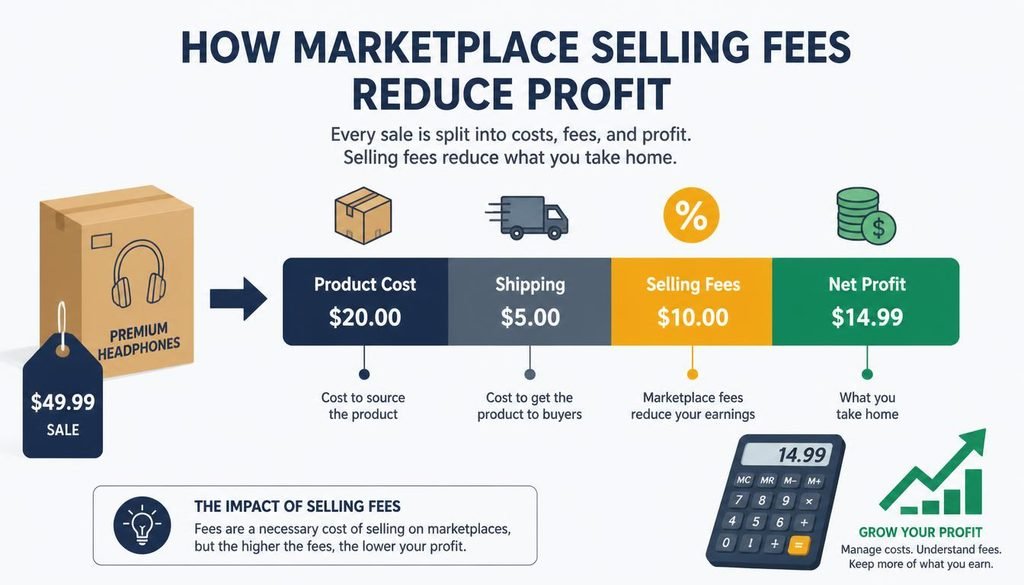
How Net Profit Is Calculated
The calculation is simple:
- Revenue = (selling price × quantity) + shipping charged to the buyer
- Total fees = (revenue × commission %) + (revenue × payment %) + (revenue × ad %) + fixed order fee
- Net profit = revenue − total fees − product cost − shipping cost − packaging and other costs
- Margin = net profit ÷ revenue × 100
The calculator does this work for you, so you can spend your time on sourcing and selling.
Practical Tips for Reducing Selling Fees
- Compare platforms before listing. The same product can earn noticeably different profit on different marketplaces.
- Price with fees included. Work backwards from your target margin rather than copying competitors’ prices.
- Watch your ad spend. Promoted listings can erase profit on low-margin items.
- Control shipping costs. Negotiate carrier rates, use lighter packaging and check whether charging buyers for shipping affects your fees.
- Review fees regularly. Marketplaces update their rates, so recheck your numbers a few times a year.
- Sell in bundles. A single fixed fee spread across several items improves your margin per item.
Who Should Use Ecommerce Selling Fees Calculator
- Dropshippers sourcing from AliExpress or Alibaba
- eBay, Amazon and Etsy sellers
- Resellers and thrift flippers
- Small businesses deciding between marketplaces and their own store
- Anyone planning prices for a new product
Final Thoughts
Knowing your real fees is one of the quickest ways to protect your profit. With the Ecommerce Selling Fees Calculator, you can price with confidence, compare platforms and spot unprofitable sales before they happen. Try it on your next listing and see how much of each sale you actually keep.
Fee rates in the calculator are typical estimates. Check each platform’s official seller fee page for current rates and adjust the settings to match your account.
Related Tools
Frequently Asked Questions
1. Is the Ecommerce Selling Fees Calculator free to use?
Yes. It’s completely free, needs no registration, and you can run as many calculations as you like.
2. Are the fee rates in the calculator exact?
They’re typical standard rates, so treat results as close estimates. Real fees vary by product category, seller plan, country and date, which is why every fee field can be edited to match your own account.
3. Which platforms does the calculator support?
It includes eBay, Amazon, Etsy, Walmart, Shopify, AliExpress, Alibaba.com, Daraz, Poshmark, Depop and Facebook Marketplace. A Custom option covers any other platform.
4. What is the break-even price?
It’s the lowest selling price at which you make zero profit after fees and costs. Pricing above it earns profit, and pricing below it loses money.
5. Can I use it for dropshipping?
Yes. Enter your supplier cost as the item cost, add shipping and any ad spend, and the calculator shows your profit and margin per order. The comparison table also helps you choose the best platform for your dropshipping store.
